Keep doing your best work.
Your technical team connects the AI behind your tools once. AutoPilot learns what you use, what it costs and whether the results meet your needs. You don’t need to choose models or set quality scores.
See how it works →MORE FROM YOUR AI
Track your team’s AI costs. Compare models. Review the results.
Your technical team connects the AI behind your tools once. AutoPilot learns what you use, what it costs and whether the results meet your needs. You don’t need to choose models or set quality scores.
Supports connected applications using OpenAI, Anthropic and Google Gemini. A technical integration is required. Direct connections to personal AI chat subscriptions and other providers are not available yet.
MODEL CHOICE IN ACTION
Use a lighter model when it is sufficient. More reasoning when the task needs it.
Illustrative workflow. Results and usage depend on the task.
Cheaper only matters
if the result still works.
AutoPilot compares results on the same tasks. It switches to a cheaper AI model only when those checks show equally good or better results. While it learns, your tools keep using their existing model.
Meet your next best move →BUSINESS AUTOPILOT · AVAILABLE BETA
One connection by your technical team.
Clear savings for everyone.
Your technical team connects the AI behind your tools once. AutoPilot learns what you use, what it costs and whether the results meet your needs. You don’t need to choose models or set quality scores.
See how it works →AutoPilot looks for a less expensive AI model that delivers equally good results on your tested tasks. If a result fails its quality check, it can try your original model once. Every attempt is counted.
See how to connect →See what you spent, where costs fell and how much you keep. Estimates are clearly marked. Confirmed savings include the cost of extra attempts. Pause AutoPilot anytime.
Explore the savings report →MAKE THE SAVINGS TANGIBLE
Run a scenario with your own budget.
The assumptions are yours to change.
Illustrative scenario, not a prediction or customer result. Applies to variable API spend. Actual savings depend on your workload, evaluation results, retries and overhead.
YOU COULD KEEP, PER YEAR
$81,000after the 10% verified-savings fee
Example: $50,000 × 15% = $7,500 saved before fees; $750 fee; $6,750 retained. Free workspaces pay no fee. Team fees apply only to positive verified monthly net savings under an agreed plan; billing activation is manual.
YOUR AI COSTS. ONE CLEAR VIEW.
GPT models · See what each task costs and where another model could do it for less.
Claude models · Understand spending, response times and the cost of repeated work.
Gemini models · Compare costs and tested results alongside your other AI models.
Supports connected applications using OpenAI, Anthropic and Google Gemini. A technical integration is required. Direct connections to personal AI chat subscriptions and other providers are not available yet.
YOUR AI SPEND, MADE CLEAR
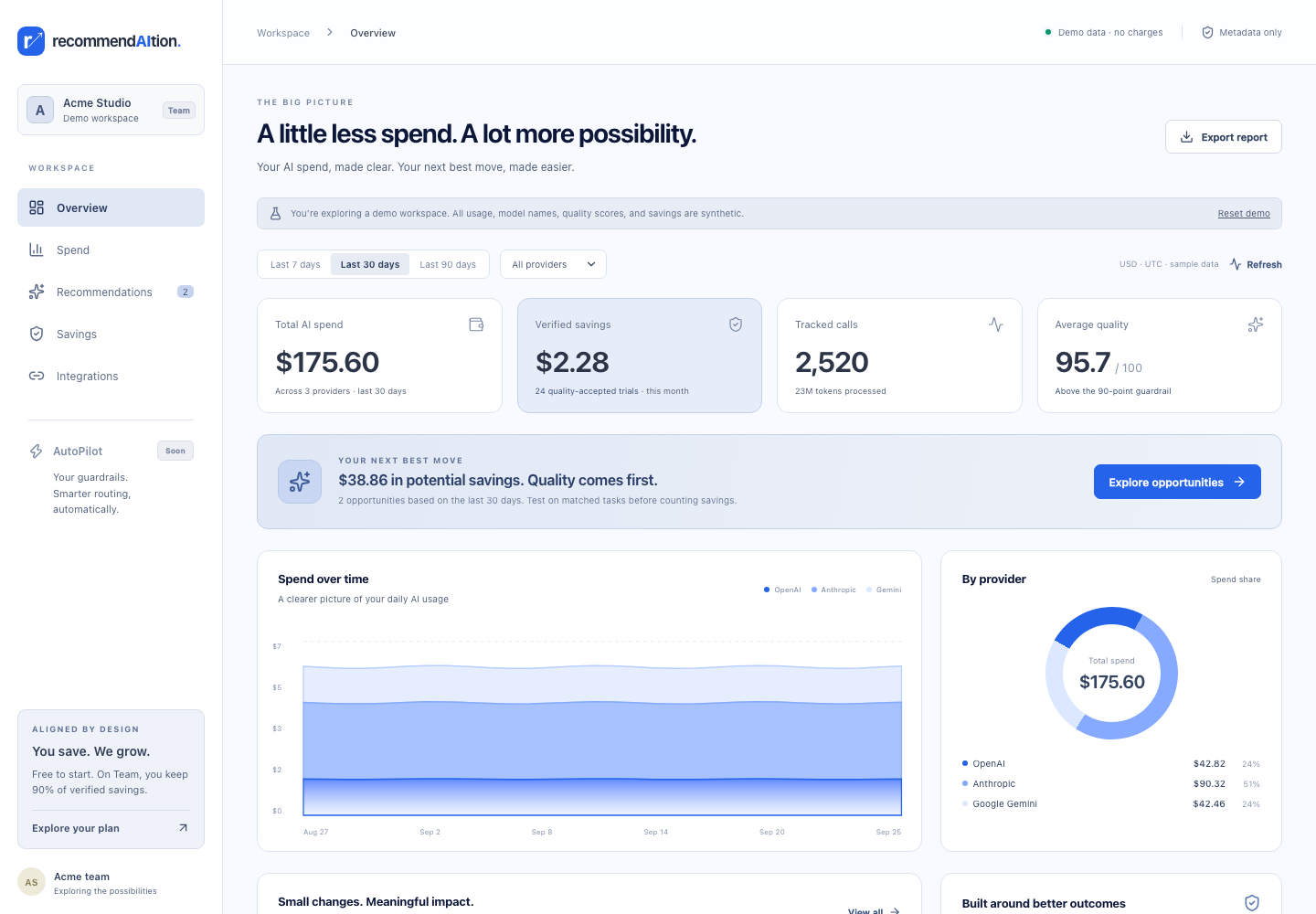
A RECOMMENDATION IS NOT A SAVING
A cheaper suggestion is only a possibility. We count savings when a comparison of the same task shows lower total cost and your team accepts the result.
“Verified” means the recorded comparison passes our checks and your team accepts the quality. We do not yet reconcile these records against provider invoices automatically.
Inspect the savings ledger →Same task. Same quality check.Compare your original model with an alternative doing the same work.
Quality and speed protected.Savings comparisons must pass quality and response-time checks. Automatic model switches require equally good or better evaluated quality.
Every attempt counts.Extra attempts and related costs are included. More expensive trials reduce the month’s savings.
No double counting.Each saving links back to its recorded comparison and is counted only once.
Business / Team
Free to start. On Team, you keep 90%
of positive monthly verified net savings.
Free
Make every AI dollar easier to understand.
Business / Team
SHARED SUCCESSNo positive net savings? No fee.
AutoPilot is in beta. Start with a free account or explore the demo. The calculator shows estimates; the Team fee applies to confirmed savings under an agreed plan. Payments are not collected automatically.
USEFUL DATA. LESS EXPOSURE.
We receive usage figures, costs, response times and quality scores. Your prompts, AI responses and provider keys stay inside your application.
YOUR QUESTIONS, ANSWERED
The demo includes Overview, Spend, Recommendations, Savings, and Integrations. Approve an opportunity, run a simulated trial, inspect its evidence, and export a report. Everything in the demo is synthetic. Create your account to track real usage in a hosted workspace, or download the Next.js MVP for your own deployment.
The engine compares observed usage within the same workflow and evaluation rubric, with at least five scored calls per model and a 95% success rate. Quality and latency must pass the guardrails before cost and speed determine the ranking. These are opportunities to test, not guaranteed savings.
Not in this release. recommendAItion connects to AI used inside business apps and tools, where costs change with usage. It does not connect directly to personal ChatGPT, Claude or Gemini subscriptions, and fewer messages would not automatically reduce their fixed monthly fees.
Connect the server SDK and start a tracked workflow. AutoPilot infers initial safeguards and learns from your outcome checks. It retains your existing model until an alternative qualifies on at least 20 distinct matched tasks. Your application runs the calls. Advanced controls are optional; payments are not collected automatically.
It optimises connected API workflows using measured costs and outcome checks supplied by your application. It does not monitor arbitrary AI chats or infer correctness from token counts. Your developer connects those checks once. The SDK carries the original task context into a single recovery attempt; it cannot reconstruct context that was never provided.
They are still available. Open the local task advisor or download the plugin. The advisor helps choose an approach; the FinOps platform measures application usage and tests savings. The earlier multi-AI planner is also preserved.
BETTER OUTCOMES. LESS WASTE.